Piyion updates: discover what is new
Welcome to our updates page! Here you will find all the Piyion updates in one place. Whenever we add a feature or improve a tool, we will explain what changed, how it can help you and how to get started.
We want it to be easy to stay current. We will share new features with simple explanations, examples and links to their guides. Bookmark this page and return whenever you want to see what is new.
Piyion updates: from a comment to a conversation
Imagine posting a product and someone comments: “I want more information!”. That interest deserves a reply, but when many comments arrive, it is easy for one to get lost among the notifications.
You can now set up automatic replies to Instagram and Facebook comments. You can also prepare a private message to continue the conversation. The person gets an initial reply, and your team can help when they need more details.
For example, try a simple invitation: “Comment INFO and we will tell you more”. Then write a reply explaining what information the person will receive. Test it before activating it and make sure it sounds like your brand.
This feature appears in our guide from September 14, 2026. To learn how to use it step by step, read the guide to automating Instagram and Facebook comments.
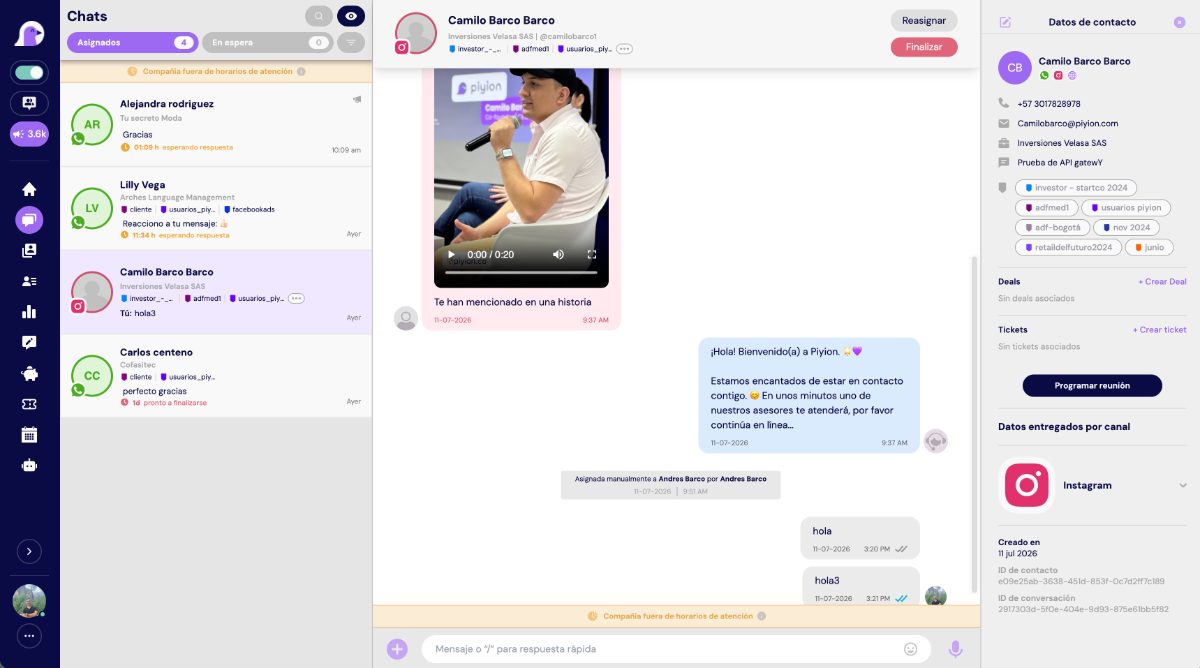
A conversation starts with interest. Your team keeps it going.
Piyion updates: prepare your WhatsApp campaigns
Do you have a promotion planned for next week? You can prepare the send in advance. Our July 9, 2026 guide explains how to choose a Meta-approved template, select contacts and schedule a campaign.
Choose when to send
Set the date, time and number of contacts in each batch. You can also schedule recurring sends for repeated communications, so part of the work is ready before the day arrives.
Reach the right people
Not all contacts need the same message. Use tags, contact lists or CRM stages to choose your audience and organize opportunities. For example, separate people who asked for information from those who have already bought.
Prepare your team to reply
Choose one or several agents, or the whole team, to handle replies. Before sending, agree on who will be available and what information they will need. That way, the message starts a conversation your team can continue.
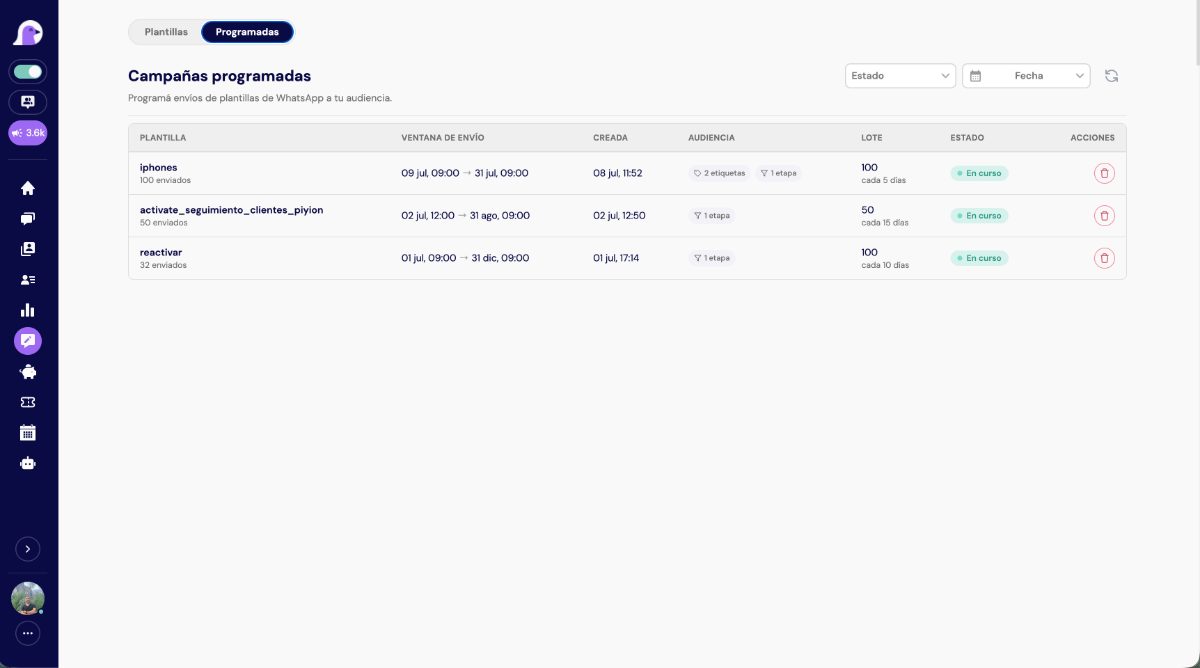
See what happened after sending
Afterward, check the history and statistics. You can see which campaigns are scheduled, which messages were sent, which arrived and whether there were errors. Use that information to decide what to improve next time.
You will find the full process in the guide to scheduling bulk WhatsApp sends. Also review the WhatsApp Business policies when preparing your messages. Check that your contacts have consented and respect anyone who no longer wants to receive messages.
Where should you start?
You do not need to try everything at once. Start with the task that takes the most time and follow these steps:
- Choose a simple idea. For example, respond to requests for a product catalog.
- Write the way you speak to customers. A clear, friendly message helps more than complicated wording.
- Test it with your team. Check what the person receives and who will continue the conversation.
- Watch the replies. Then make any needed adjustments before expanding the campaign.
Questions about Piyion updates
Where can I find future updates?
In the Updates category of our blog. This is where you can learn about new features and find their guides.
Which feature should I try first?
If you receive many questions on social media, start with automatic comment replies. If you want to prepare communications in advance, look at scheduled sends.
What if I need help?
Message the Piyion team. Tell us what you want to do and we will help you review the options available for your account.
Guide reviewed on October 13, 2026, based on the features described in the linked articles.

 English
  Spanish