Piyion Blog: WhatsApp, sales and customer service
Explore more Piyion resources
Explore ecommerce and cart follow-up and the Piyion affiliate program. You can also visit the archive of our participation at Effix Medellín 2026; the event promotion has ended.
Find a guide by topic
Browse the complete WhatsApp and CRM guide library. All 137 articles are organized by topic and publication date, including older posts that no longer appear among the latest blog updates.
Start by identifying the task you want to improve: answering enquiries, coordinating several agents, following up on a sale or preparing a campaign. Use the blog categories to browse related posts and open the library when you also need to explore the historical archive.
CRM and sales guides help you review stages and next actions. Chatbot articles cover automated responses and support handled by people. For updates and support posts, check the publication date and compare each change with your own account before applying it across the team. If you cannot find a topic, use the menu search with a specific question about the task you are trying to complete.
Buyer persona: an example for marketing and sales
Build a buyer persona from customer questions, needs and objections, then use it in content and sales follow-up.
Sales plan: structure, strategies and example
Build a sales plan with objectives, stages, ownership, actions and a numerical example for checking assumptions.
Real estate CRM: inquiries, visits and follow-up
Organize property inquiries, owners, viewings and next actions through a practical CRM workflow.
Free CRM: what to check before choosing
Compare free CRM plans, trials and paid options, including users, data, automation and WhatsApp costs.
Instagram ads for WhatsApp inquiries
Plan Instagram ads that open WhatsApp conversations, with a clear offer, test budget and opportunity tracking.
CRM strategy: implementation and useful metrics
Design a CRM workflow with owners, fields, stages, training and measurements your team can maintain.
What is CRM? Types, tools and practical examples
Understand CRM types, sales workflows and the capabilities to test before choosing a platform.
CRM for clinics: inquiries and appointment follow-up
Define an administrative inquiry and appointment workflow with ownership, reminders and clear CRM boundaries.
Instagram for business: account and sales workflow
Prepare an Instagram business profile and connect inquiries to a clear customer service and sales workflow.
ERP and CRM: differences and how they connect
Distinguish ERP, CRM, CMS and SCM through an order workflow and a practical system-selection checklist.
WhatsApp short links: create and choose the right URL
Get a WhatsApp Business short link, use wa.me and decide whether you need a URL shortener. Check destination, message and maintenance.
WhatsApp QR codes: view, share and reset the right code
Distinguish WhatsApp contact, group and login QR codes. Learn how to share or reset a Business code and check printed material.
WhatsApp on WordPress: buttons and chatbots
Add a WhatsApp button to WordPress using a link or HTML. Check mobile usability, accessibility and when a chatbot is needed.
WhatsApp Cloud API: preparing an implementation
Understand WhatsApp Cloud API components, tests and costs. Compare direct integration with a platform before connecting your operation.
Free WhatsApp chatbots: capabilities and limits to check
Evaluate free WhatsApp chatbot options, app messaging tools, trials and operating costs with a practical checklist.
WhatsApp broadcast lists: how they work and when to use the API
Learn how broadcast lists work, troubleshoot undelivered messages and choose between WhatsApp Business and API campaigns. Includes examples.
Cross-selling on WhatsApp: examples and a practical process
Identify relevant WhatsApp cross-selling opportunities with customer context and respectful follow-up.
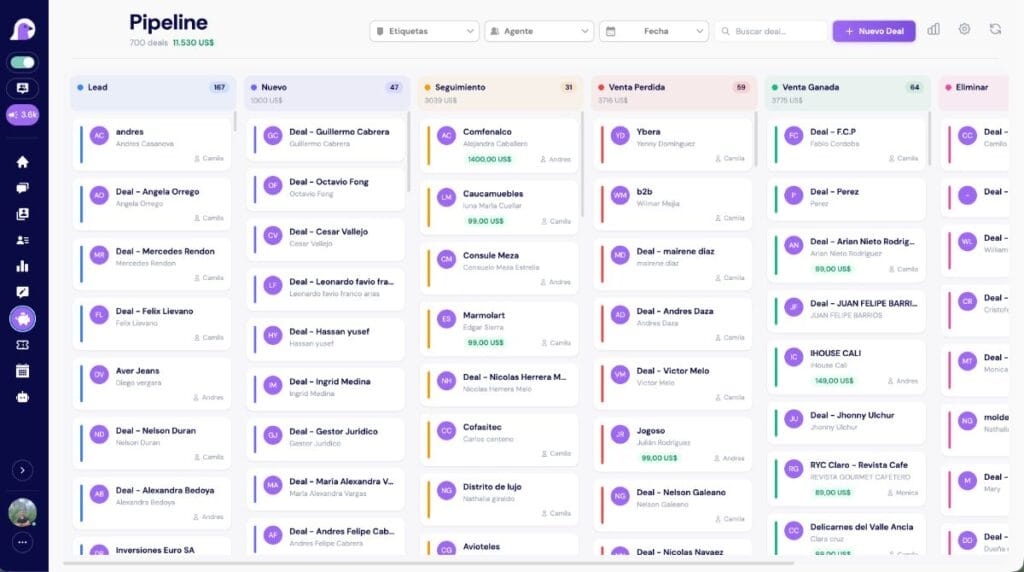
WhatsApp sales pipeline: stages and follow-up
Build a WhatsApp sales pipeline with clear stages, owners, next actions and interpretable metrics.
Welcome and away messages for WhatsApp Business
Welcome and away message examples that guide customers and set realistic response expectations.
WhatsApp Business: organize your customer conversations
Prepare your business profile, contact entry points and follow-up workflow with WhatsApp Business.
How to create and share a WhatsApp group invite link
Understand group invitations versus contact links, share invites appropriately and define how your business will use the group.
WhatsApp Business Web: a guide for your business
Use WhatsApp Business in a browser, review linked devices and identify when your team needs a multi-agent workflow.
How to connect WhatsApp to a Facebook Page
Connect a Facebook Page with WhatsApp Business and prepare a workflow to assign and follow up on incoming inquiries.
How to add a WhatsApp link to Instagram
Add a WhatsApp link or contact button to Instagram, test the destination and organize new business inquiries.
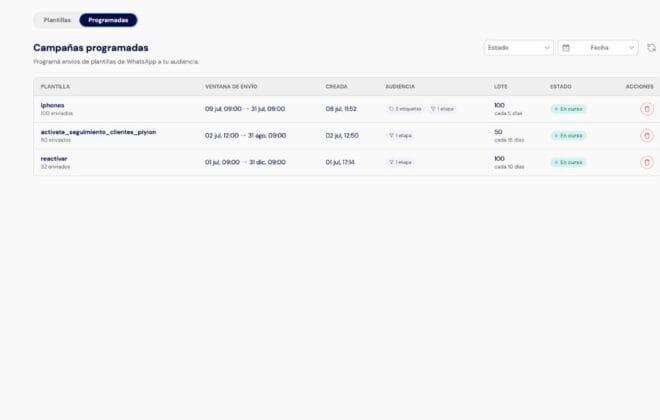
How Much Does Bulk WhatsApp Messaging Cost in Colombia?
PIYION GUIDE · COLOMBIA · 2026 A WhatsApp campaign has two main cost components: Meta messaging charges and the platform used to segment contacts, schedule messages and handle replies. Your mix of message categories affects the total. Quick answer: campaign pricing in Colombia depends on the message category, recipient market, delivered volume and platform. Piyion…
How to Create a WhatsApp Chatbot for Business
A guide to building a WhatsApp chatbot with real questions, agent handoff, and measurement.
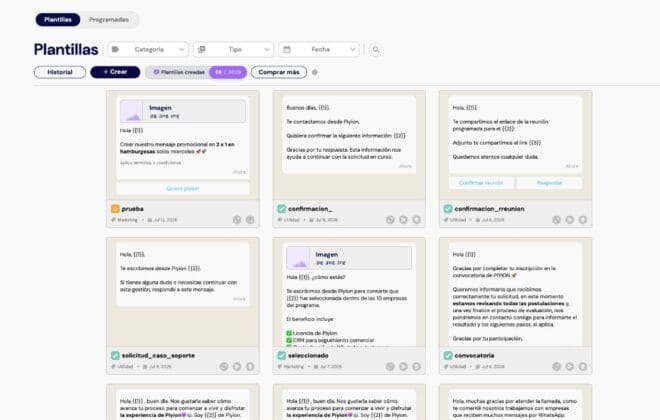
WhatsApp Business API templates: examples and categories
See examples of WhatsApp Business API templates, how to choose a category, common rejection reasons and what to check before submitting a template to Meta.
Piyion support: issues, fixes and changes
This log brings together information about Piyion support, fixes and changes. It helps you understand the context of an issue and distinguish a published improvement from behaviour that still needs investigation in your account. Before reporting a problem, identify the affected screen, the steps needed to reproduce it and the expected outcome. Describe what happened without including passwords or private customer information. Those details support a clear request and make it easier to check whether a fix resolves your team’s specific case.
Piyion updates: discover what is new
Browse the Piyion updates log to review published changes and improvements to the platform. Read each update with its date and context, since an older announcement may describe options that differ from those currently available in an account. Use this resource to identify the affected feature, prepare a test with your team and document the outcome before changing an everyday workflow. If the result does not match your configuration, collect the steps and observed behaviour so the support team can provide appropriate guidance.

The 7 best WhatsApp CRMs in Colombia
An honest comparison of seven WhatsApp CRMs available in Colombia: public pricing, focus, strengths and criteria for choosing.
How much does a WhatsApp CRM cost in Colombia in 2026?
PIYION GUIDE · COLOMBIA · 2026 The real cost of a WhatsApp CRM combines the platform, users, Meta messages, implementation and automation. This guide breaks down each component so you can compare quotes without surprises. Quick answer: In Colombia, basic tools can start at a few dozen dollars per user, while Piyion offers plans from…

How to automate Instagram and Facebook comments and turn them into conversations
Automating Instagram comments can help you respond faster to people interested in your products or services. Think of a common…
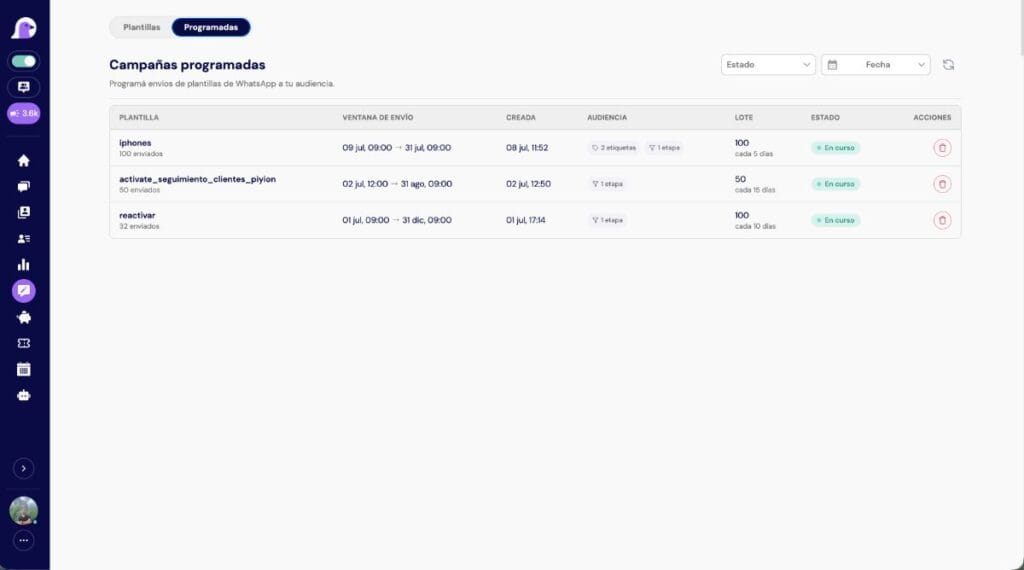
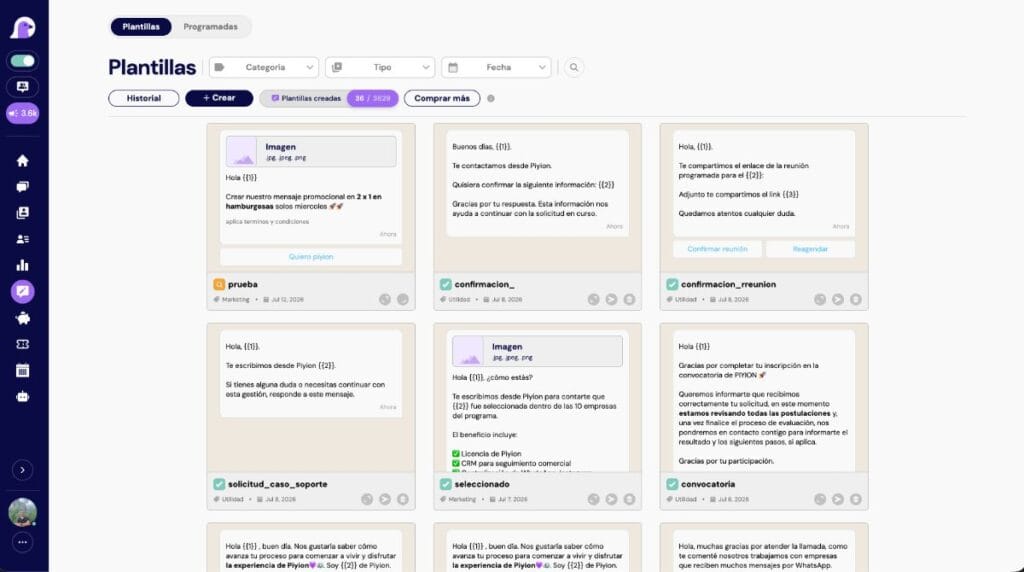
Scheduling bulk WhatsApp sends: the complete guide to Piyion
Scheduling bulk WhatsApp sends: the complete guide to Piyion In this guide, you will learn how to schedule bulk sends…

How to measure your WhatsApp team’s performance
PIYION GUIDE · COLOMBIA · 2026 A useful dashboard connects speed, quality, and outcomes. If you track only chat volume, you may reward rushed resolutions; if you track only sales, you overlook the customer experience. Quick answer: Track at least first response time, resolution time, SLA compliance, reopened conversations, satisfaction, conversion, and overdue follow-ups. Use…

How to increase WhatsApp sales: 9 tactics backed by numbers
Nine measurable tactics for increasing WhatsApp sales: speed, qualification, follow-up, campaigns, pipeline and metrics.
Closing sales on WhatsApp: practices that work
Closing sales on WhatsApp: how to increase your conversion rate Selling on WhatsApp has become one of the fastest and…
Turn your conversations into sales
A practical guide to turning conversations into sales and improving conversion…
How to use WhatsApp labels to organize and grow sales
Customer tags help a team organize WhatsApp conversations and make follow-up more consistent. As the contact list grows, a shared tagging system makes it easier to understand which customers need attention and what should happen next. What is customer segmentation? Segmentation groups contacts by relevant characteristics, behavior or stage in the sales process. In customer…
Using WhatsApp as a CRM
Using WhatsApp as a CRM: a practical guide to organizing sales What does using WhatsApp as a CRM really mean?…

How to avoid losing leads on WhatsApp
A business may invest in advertising, start a WhatsApp conversation and answer the first question, then lose track of the next step. Clear ownership and consistent follow-up help keep those opportunities visible. The cost of delayed replies When customers wait for a useful response, they may lose interest, contact another supplier or forget the quote.…
Following up with customers on WhatsApp
Following up with customers on WhatsApp: how to keep leads engaged Following up with customers on WhatsApp is one of…

How to sell on WhatsApp without overwhelming your team
WhatsApp automation has gone from an option to a necessity for companies that want to grow without overwhelming their operations….
Chat centers for businesses: what they are and why you need one
Why WhatsApp restricts business numbers and how to prevent it
Why WhatsApp restricts business accounts, warning signs and ways to reduce restrictions through consent, segmentation and the official API.
WhatsApp Business vs. the official API: which does your business need?
The difference between WhatsApp Business and the official API: costs, teams, automation, campaigns and how to choose the right option.
How to handle WhatsApp with several agents without duplicate replies
Sharing a WhatsApp number requires clear ownership, conversation statuses and a way to hand cases over between shifts. This guide explains incoming queues, agent assignment, internal notes and rules that help prevent duplicate replies. It includes follow-up examples and measures such as first response, resolution time and reopened conversations. Use it to review how sales and support teams collaborate, preserve customer context and make sure every active conversation has an owner and an agreed next action before the shift ends.
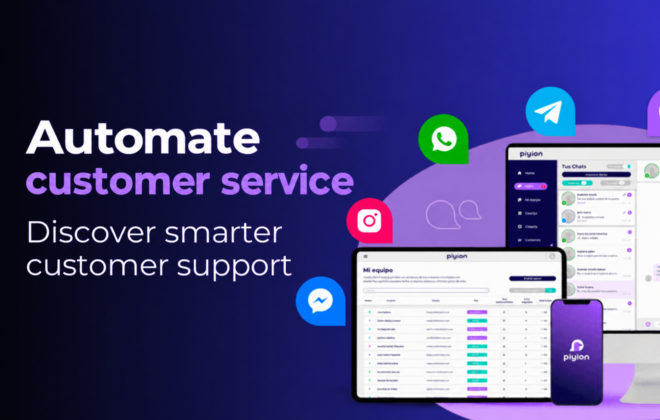
Customer service automation: how to reply faster while keeping a human touch
Customer service automation can help with repetitive questions, enquiry routing and messages received outside working hours. This article explains how automated replies, conversation flows and transfers to advisors can work together, and which common mistakes to review before expanding the process. It also discusses AI assistance and human supervision. The focus is on choosing specific tasks to automate, keeping answers understandable and making a person available when a customer needs context, judgement or a solution beyond the routine response.

How to manage all your WhatsApp messages in one platform
When messages are spread across phones and advisors, it becomes difficult to know which customer is waiting and who should respond. This guide introduces a chat center’s shared inbox and its role in conversation assignment, customer history and follow-up. It reviews signs of disorganized work, including duplicate answers, delays and enquiries without an owner, and explains how to assess a centralized workflow. It is intended for businesses that need several people to coordinate their work while maintaining continuity in WhatsApp customer service.
WhatsApp Chatbots: When They Help and When They Get in the Way
A chatbot helps when it solves a clear task. It gets in the way when customers must navigate menus for a situation that needs context, judgment or empathy. Quick answer: use automation to identify intent, answer repeated questions, retrieve available information and route requests. Hand the conversation to a person for negotiation, complaints, exceptions, low…

Centralizing Digital Customer Conversations
Customers may contact a business through WhatsApp, social messaging or its website. Managing these conversations in separate places can make ownership and follow-up difficult. A shared workflow helps the team see pending work and respond consistently. Review the channels you actually use List where customer inquiries arrive and confirm which connections are supported in your…
 English
 Español