
WhatsApp Business vs. the official API: which does your business need?
WhatsApp Business vs. the official API: which does your business need?
The WhatsApp Business app and the WhatsApp Business Platform serve different stages. The app works well for a small operation; the API supports teams, systems, and automation at a larger scale.
The differences at a glance
| Criteria | WhatsApp Business app | WhatsApp Business Platform/API |
|---|---|---|
| Product cost | Free app | Meta charges per message; platform or development costs are additional |
| Team | Use through the app and linked devices | Multiple agents through integrated software |
| Automation | Basic features | Workflows, chatbot, webhooks, and integrations |
| Starting conversations | Features available in the app | Approved templates outside the 24-hour window |
| Sales follow-up | Labels and basic organization | Pipeline, assignment, reports, and history depending on the platform |
When the app is enough
The app is designed for small businesses. It includes a business profile, catalog, quick replies, and basic organization. It may be enough if message volume is manageable, one person handles support, and you do not need detailed reports.
The limit appears as your team grows: it becomes hard to know who replied, which opportunities remain open, and what results each campaign produced.
When the official API makes sense
- Several people need to handle the same number.
- You need to assign and transfer conversations.
- You want to start messages with approved templates.
- You need to connect a CRM, ecommerce, Zapier, or other systems.
- You want automation with a clear handoff to an agent.
How the 24-hour window and templates work
Meta’s policy allows replies without a template within 24 hours after the user’s last message. Outside that window, the business starts a conversation with an approved template. Templates must be used for their authorized category.
The business also needs explicit consent to contact the person and must honor opt-out requests.
Costs to budget for
The app is free. With the API, account for Meta’s per-message price, the platform your team will use, implementation, and integrations. Compare the cost of operating with clear records against the cost of lost or duplicate conversations.
A safe migration path
- Document numbers, owners, templates, and use cases.
- Confirm ownership of and access to Business Manager.
- Define consent, categories, and opt-out procedures.
- Set up users, permissions, schedules, and routing.
- Test incoming messages, sends, escalation, and reports before moving campaigns.
Activate the API with an operation ready to sell
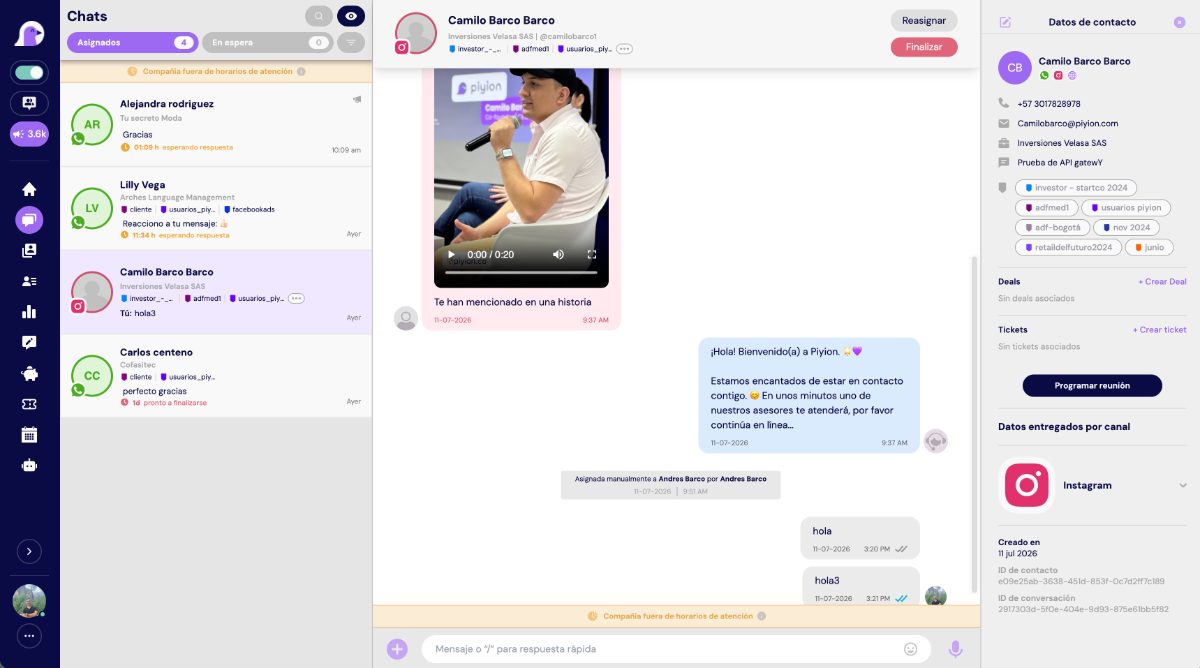
Piyion connects official WhatsApp with a shared inbox, campaigns, follow-up, and AI.
Frequently asked questions
Is the API an app?
No. It is infrastructure that connects WhatsApp with business software such as Piyion.
Can multiple agents use it?
Yes, through the platform connected to the API and its user rules.
Do I need templates to reply?
You can reply without a template within the 24-hour window; outside it, approved templates are used.
Does the API prevent all account blocks?
No. Meta’s policies, consent requirements, and quality signals still apply.
How long does activation take?
It depends on your business status, number, and access. An initial review helps prevent delays.
Sources and review date
Content reviewed on September 19, 2026. Prices and policies may change; always confirm current rates for your account and country.

 English
  Spanish