

How to handle WhatsApp with several agents without duplicate replies
How to handle WhatsApp with several agents without duplicate replies
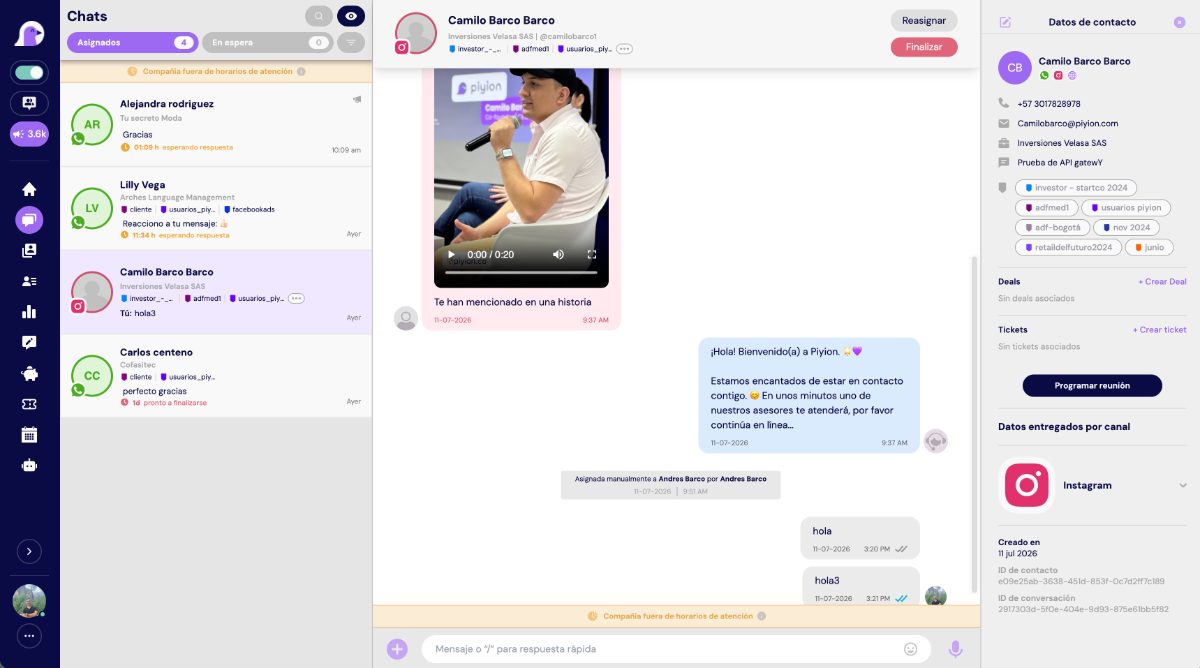
Sharing one number among several agents works when every conversation has an owner, a status, and transfer rules. Without that structure, apparent speed creates confusion.
Why duplicate replies happen
Duplicate replies happen when several people see the same notification, there is no visible owner, or shifts change outside the system. They also happen when sales and support contact the same customer from separate lists.
Design a simple queue
- New conversations enter the queue.
- An assignment rule routes them by team, schedule, or topic.
- An agent accepts the conversation.
- Status: in progress, waiting for customer, follow-up, or closed.
- Transfers include an internal note and context.
An overly complex queue is hard to maintain. Start with two or three teams and add rules only when the evidence supports them.
Rules for chat ownership
- Only the assigned owner replies while the chat is active.
- Supervisors observe without intervening unless escalation is needed.
- Transfers include a reason and next action.
- At the end of a shift, no chat should be without a status.
- Check history before starting proactive outreach.
Internal notes and context
A useful note records intent, objection, and commitment: “Needs a plan for six agents; send proposal tomorrow at 9:00.” Avoid copying the entire conversation. Tags describe; notes explain; tasks move the process forward.
How to organize shifts
Define coverage hours, a maximum number of active chats, and a queue owner. At shift changes, transfer only active conversations and schedule follow-ups. An automatic message can share business hours, but should not promise an immediate reply when the team is away.
Metrics for supervision without micromanagement
| Metric | What it reveals |
|---|---|
| First response | Capacity and coverage |
| Resolution time | Complexity and friction |
| Reassigned chats | Routing quality |
| Reopened chats | Premature closures or repeated issues |
| Conversion by agent | Sales effectiveness in the context of volume |
One number, several agents, and one conversation history
Organize owners, transfers, permissions, and sales follow-up from Piyion’s multi-agent inbox.
Frequently asked questions
Can several agents use the same number?
Yes, through the WhatsApp Business Platform connected to a multi-agent solution.
How many agents should own a chat?
One primary owner. Others can review or collaborate through internal notes.
How can two departments avoid messaging the same customer?
Centralize history and require a record review before starting contact.
What happens when an agent’s shift ends?
They should transfer active chats and create dated follow-up tasks.
Can assignment be automatic?
Yes, based on available rules such as team, schedule, workload, campaign, or topic.
Sources and review date
Content reviewed on September 19, 2026. Prices and policies may change; always confirm current rates for your account and country.



 English
  Spanish