Why WhatsApp restricts business numbers and how to prevent it
Why WhatsApp restricts business numbers and how to prevent it
Restrictions often happen when sending behavior, contact sources, or content signal abuse. Prevention starts long before you press “send.”
The most common causes
- Contacting people who did not give explicit consent.
- Buying or reusing lists when people do not expect your messages.
- Sending the same content to large, poorly matched segments.
- Ignoring blocks, reports, or opt-out requests.
- Using tools that automate WhatsApp through unauthorized methods.
- Promoting restricted products or services.
The official API does not mean “zero restrictions”
The WhatsApp Business Platform is the authorized path for integrations, teams, and templates. Meta can still limit access for poor quality or policy violations. No credible provider can promise zero restrictions.
The benefit is operating within the rules, controlling templates, recording consent, and monitoring quality signals.
How to build a consent-based contact list
Consent should clearly name the business and state that the person agrees to receive WhatsApp messages. Record the date, source, and purpose. Where possible, separate permission for promotions from permission for transactional updates.
Provide a clear opt-out, such as “Reply STOP,” and apply it immediately across your systems.
Segmentation and frequency
Do not send to your entire list by default. Segment by purchase, interest, city, interaction date, or stage. Limit frequency, and do not keep messaging people who never respond.
What to do if quality drops
- Pause campaigns that produce negative signals.
- Review the source of consent and recent templates.
- Remove contacts who do not expect messages or recently opted out.
- Adjust frequency, message promise, and segmentation.
- Check the account status and appeal options available through Meta.
Do not try to evade a restriction by repeatedly opening new numbers; fix the operational cause first.
Checklist before every campaign
- Documented consent.
- An approved template used in its intended category.
- A segment relevant to the offer.
- Reasonable frequency.
- Visible business details and a support channel.
- A simple opt-out that is honored.
- A team ready to respond.
Run campaigns through an official setup
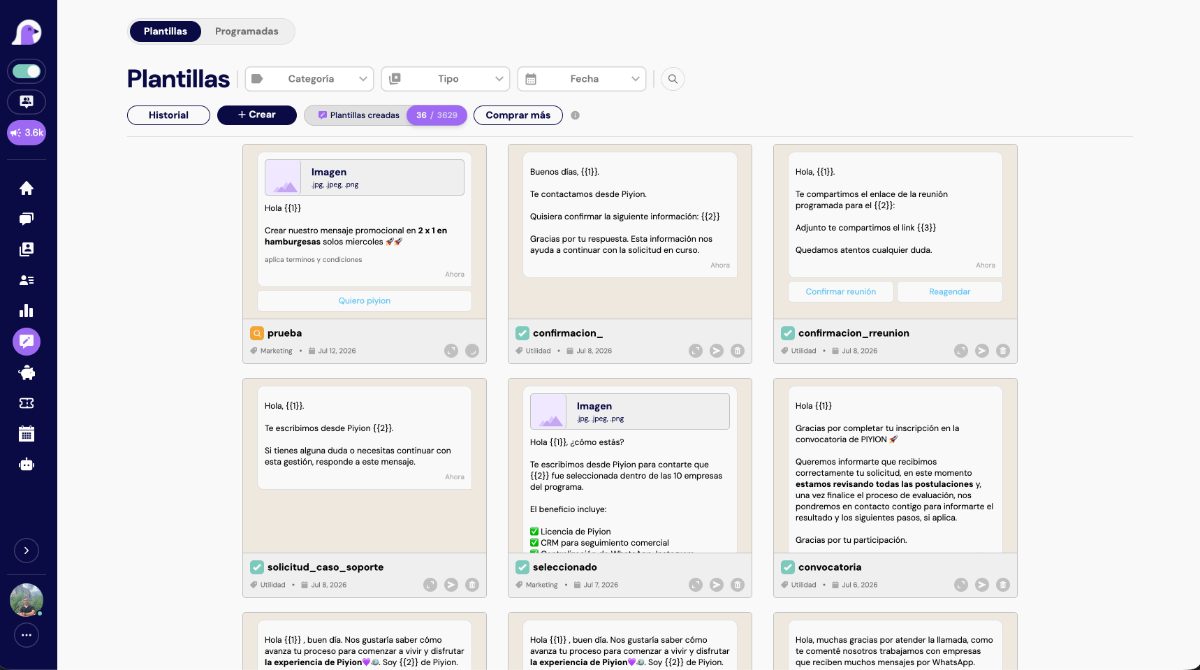
Segment contacts, schedule templates, and handle replies from Piyion through the official WhatsApp API.
Frequently asked questions
Can WhatsApp restrict an official API account?
Yes. Policies and quality standards also apply to the official platform.
Can I buy contact lists if the numbers are public?
Public numbers do not amount to consent to receive WhatsApp messages and increase the risk of reports.
How many messages can I send?
It depends on your account setup, quality, and applicable limits. Allowed volume does not replace relevance.
Can I appeal a restriction?
Meta offers review paths depending on the product and type of restriction.
Does Piyion guarantee zero restrictions?
No. Piyion supports an official setup, while the business must maintain consent and good practices.
Sources and review date
Content reviewed on September 19, 2026. Prices and policies may change; always confirm current rates for your account and country.


 English
  Spanish