WhatsApp Business API templates: examples and categories
A template should make clear who is writing, why they are reaching out and what the recipient can do next. Adapt these examples to your use case and to what customers agreed to receive.
The three template categories
- Marketing: Promotions, recommendations and re-engagement messages.
- Utility: Information about a transaction or request.
- Authentication: Verification and one-time codes.
The purpose of the message determines its category. Adding an offer to an order update can make it a marketing message.
Service describes support replies within the applicable window; it is not a fourth template category. Templates are marketing, utility or authentication. See the template category documentation.
Utility examples
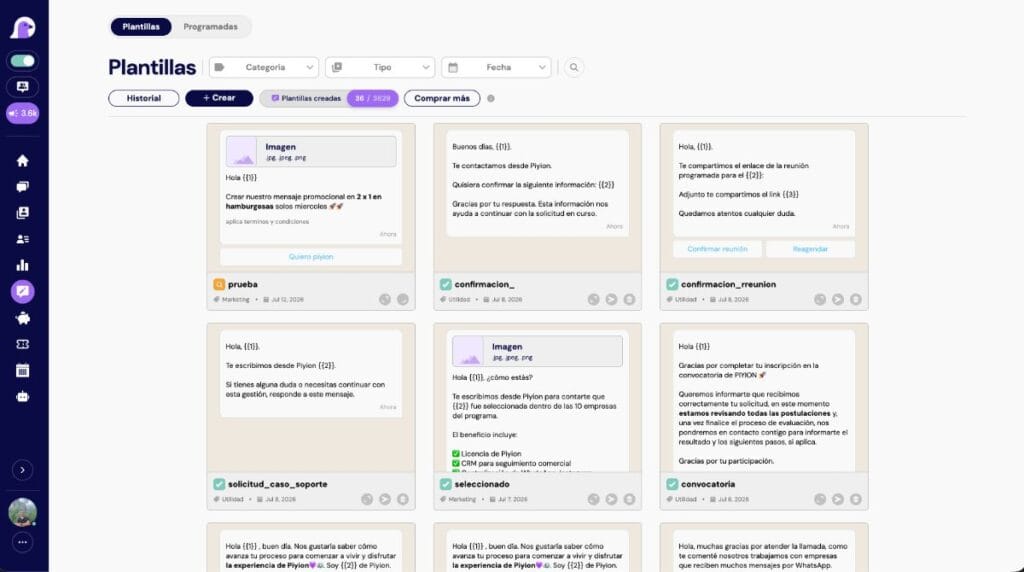
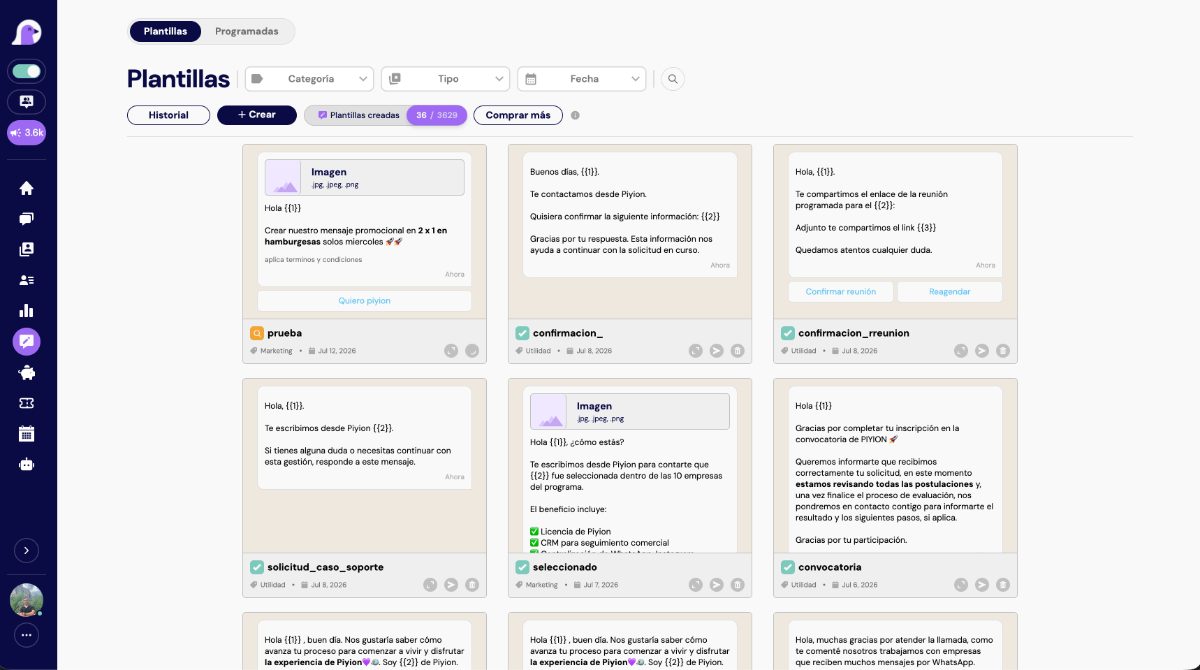
Hi {{1}}, your order {{2}} is ready for pickup at {{3}} until {{4}}. Reply to this message if you need to change the delivery arrangements.
Hi {{1}}, your appointment is confirmed for {{2}} at {{3}}. You can reschedule here: {{4}}.
Provide realistic sample values when submitting variables for review. A single variable should never stand for the entire message.
Marketing examples
Hi {{1}}, since you expressed interest in {{2}}, we have {{3}} available until {{4}}. See the details here: {{5}}. To opt out of these updates, reply SALIR.
Hi {{1}}, registration for {{2}} on {{3}} is now open. Reserve your place here: {{4}}. You are receiving this message because you opted in to updates from {{5}}.
What the recipient agreed to receive matters as much as the wording.
Authentication and verification codes
Use the authentication format available in Meta. Keep promotions out of verification messages and avoid asking for sensitive information over chat. Explain what the code is for and when it expires.
Common reasons for rejection
- The wrong category.
- Ambiguous wording or missing context.
- Variables at the start of a message or grouped together without explanatory text.
- Misleading promises, artificial urgency or restricted content.
- Links or sample values that do not illustrate the actual use case.
- Requests for sensitive information.
Checklist before submission
- Identify your company.
- Explain why you are writing.
- Give the message one main purpose.
- Check the category and variables.
- Test the links and buttons, and proofread the copy.
- Confirm consent and offer a way to opt out.
- Prepare your team to handle replies.
Turn templates into measurable campaigns
Organize, segment and schedule WhatsApp campaigns in Piyion, then handle replies on the same platform.
Frequently asked questions
How long does Meta take to approve a template?
Review times vary. Submit in advance so your campaign does not depend on same-day approval.
Can an approved template be paused?
Yes. Meta can approve, pause or reject templates.
Can I change an approved template?
A substantial change usually requires an edit or a new review, depending on the tool you use.
Should I include an opt-out word?
Offer a clear way to opt out, especially in marketing messages. If your template tells recipients to reply SALIR, honor that choice across your systems.
Can I use emojis?
Yes, if they make the message clearer and fit your brand. Avoid overusing them or making the message look like spam.
Sources and review date
Content reviewed on September 19, 2026. Prices and policies may change; always confirm current rates for your account and country.
A template is one part of a campaign
Identify the sending method and purpose before selecting a category. An app broadcast list and an API campaign use different workflows. Read the broadcast guide and define the audience, owners and measurement before scheduling.


 English
 Español